
Troubleshooting
Common issues, checks, and practical troubleshooting guidance.
Why Is My Boutiq V5 Not Hitting? Fixes in Order
A Boutiq V5 usually stops hitting for one of five reasons: a dead battery, the device being switched off, a clogged airway, the wrong voltage for thick oil, or an empty chamber selected. Work through power, charge, chamber selection, voltage, and a preheat cycle in that order—cheapest and safest fixes first.
Discover Our Great Products
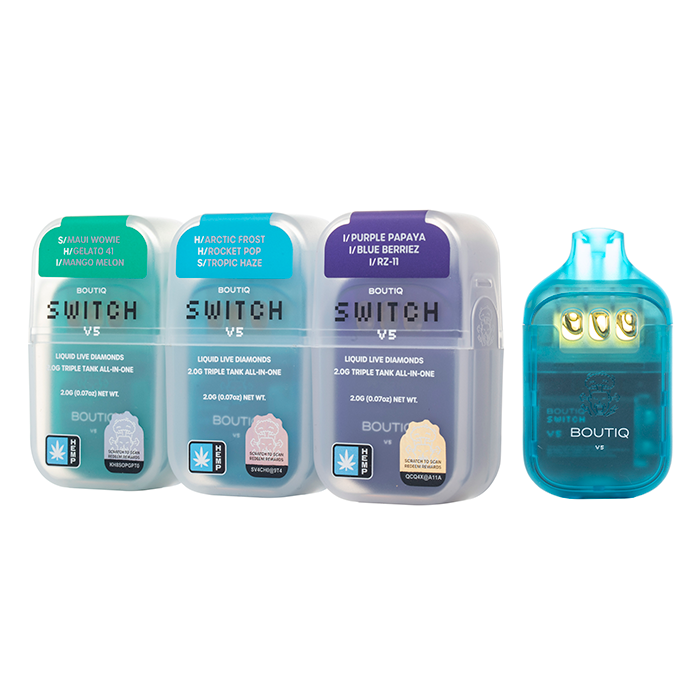
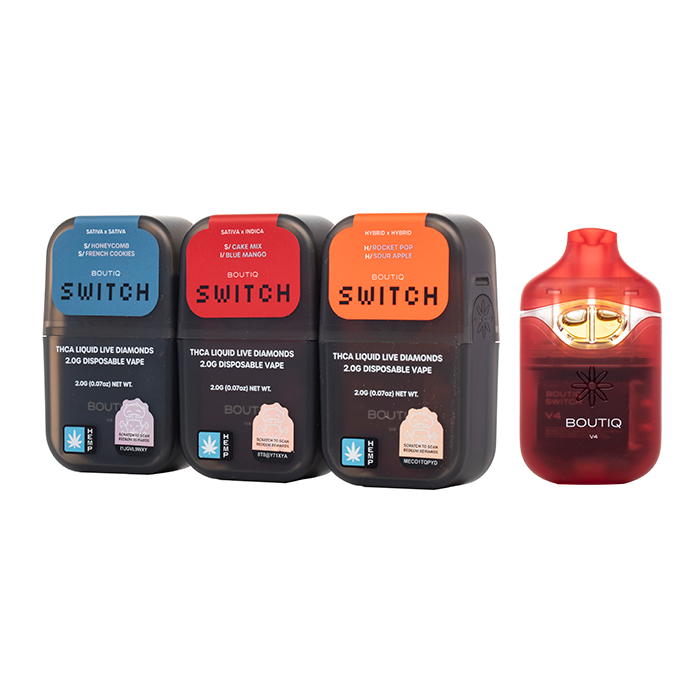

Quick answer
Press the button five times rapidly—the device may simply be switched off.
Charge it over USB-C for 15 minutes on a low-output source and try again.
Move the selector to a different chamber—the selected tank may be empty while the others still hold oil.
Cycle the voltage up one step with three rapid clicks if the oil is too thick to vaporise at the low setting.
Run a preheat cycle, then draw gently to clear a clogged airway.
Rest the device upright for 10 minutes if the LED blinks but no vapour arrives.
Step by step
Step 1: Check the power state
Press the button five times rapidly—the standard power sequence on the V5. You should see the indicator flash to confirm the device is awake.
If the light never responds, the battery is either drained or faulty, which means Step 2 is your real starting point.
Step 2: Charge the battery
Connect the V5 to a low-output USB-C source for 15 minutes. A charging indicator should light during the session.
If no indicator appears, swap the cable first—a dead cable reads exactly like a dead battery—then retry. If the device still shows nothing after a confirmed-good cable and 15 minutes, the battery has likely reached end of life; see the Battery & Lifespan guide.
Step 3: Switch chambers
The V5 holds three separate tanks, and the selector routes power to one chamber at a time. Slide the selector to a different position and draw again.
If the new chamber produces vapour, your first tank is simply empty—or its coil has failed, which a chamber switch also confirms. The Switch V5 guide covers the selector in full.
Step 4: Raise the voltage one step
Press the button three times rapidly to cycle the voltage: green (low, about 2.8V), blue (medium, about 3.4V), and white (high). Thick live-diamonds oil may not vaporise at the lowest setting, especially when cold.
If vapour arrives at the next step up, the issue was viscosity rather than a device fault. The Voltage Guide explains what each setting does.
Step 5: Clear a clog with preheat
Run the preheat function as described in the Preheat Guide, then draw gently. You should hear or feel the airway loosen as warmed oil moves.
If the draw stays blocked, stand the device upright and warm it in your hands or a pocket for a few minutes—never apply external heat—then repeat the preheat cycle once more.
Step 6: Soft-reset the device
Power the V5 off with five rapid clicks, leave it off while it charges for 10–15 minutes, then power it back on with five clicks. This clears most transient lock-ups.
No factory-reset sequence is published in the sources we hold, so we do not print one [VERIFY: any published reset or factory-reset sequence for the V5].
Can you open or take apart a Boutiq V5?
Users search for how to open a Boutiq V5 or take it apart, usually to clear a stubborn clog or recover oil. The V5 is a sealed unit, and opening the battery housing is not a supported fix: puncturing or prying near a lithium-ion cell can cause venting or fire, and it destroys any warranty claim.
Follow established lithium-ion battery safety guidance and do not do it.
The only safe access point is the airway at the mouthpiece. Check for visible oil in the mouthpiece channel and clear it with gentle airflow and the preheat cycle described above.
[FIRST-HAND: confirm whether the V5 mouthpiece or top cap lifts off without tools, and describe exactly what is safely accessible if so.]
If that doesn’t work
LED blinks but no vapour: This is usually the 8–10 second draw cutoff or a fault pattern, not a clog. Decode the pattern in the Blinkers guide.
Dead after a confirmed charge: The battery may have reached end of life. The Battery & Lifespan guide covers expected lifespan and charge behaviour.
Multiple faults at once: Counterfeit V5 units can fail in ways genuine units rarely do. If a “new” device arrived dead or behaves erratically out of the box, check it against the Real vs. Fake guide before troubleshooting further.
First-use problems: If the device never worked, re-read the How to Use page. Many apparently broken new units are switched off or uncharged rather than faulty.
When to stop and replace it
Stop using the device and replace it if:
The battery will not hold a charge after full USB-C cycles with a confirmed-good cable
The housing shows swelling, cracks, or leaks near the battery section
Vapour tastes burnt or metallic at the lowest voltage setting on every chamber
The device shows no indicator at all after charging, the power sequence, and a soft reset
Never open, puncture, or heat the battery housing to “fix” a dead unit. Dispose of it at a battery or e-waste collection point, and if the unit is under warranty, contact the retailer where it was purchased.
Frequently asked questions
Why is my boutiq v5 not hitting?
The five common causes, in order of likelihood, are that the device is switched off, the battery is dead, the selected chamber is empty, the voltage is too low for thick oil, or the airway is clogged. Work through the six steps above in order.
How to fix a boutiq switch v5 not hitting?
Use the same sequence: five clicks to confirm power, 15 minutes of USB-C charging, switch the selector chamber, raise the voltage one step, then run a preheat cycle. Most apparently dead V5 units recover by Step 4.
How to unclog a boutiq v5?
Run the preheat cycle, draw gently, and store the device upright. For stubborn clogs, warm it in your hands for a few minutes and repeat. Never apply external heat or insert objects into the airway.
How to reset a boutiq v5?
Soft-reset it: five clicks off, charge for 10–15 minutes, then five clicks on. No factory-reset sequence is published in the sources we hold, so any “reset code” circulating in videos is unverified.
How to open a boutiq v5 or take it apart?
The V5 is a sealed unit. Opening the battery housing risks puncturing the lithium cell and voids any warranty claim, so it is not a supported fix. The only safe access is the mouthpiece airway, cleared with preheat and gentle airflow.
Why does my boutiq v5 blink when I hit it?
A blink during a long draw is the 8–10 second safety cutoff—normal operation. Blinking outside a draw usually means low battery or a fault; the Blinkers guide decodes the patterns.
These statements have not been evaluated by the Food and Drug Administration. These products are not intended to diagnose, treat, cure, or prevent any disease.
BTQ V5 (btq-v5.com) is an independent informational resource and enthusiast guide. We are not affiliated with, endorsed by, sponsored by, or officially connected to Boutiq or its parent companies. See Legal & Compliance for full disclosures.